


Please wait
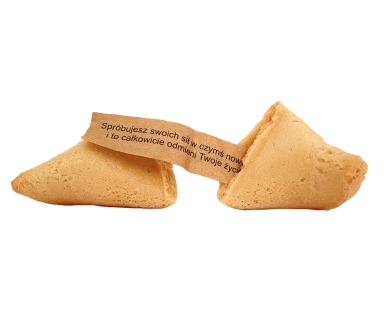
A promotional fortune cookie carries a code the recipient finds when they break it open. If every cookie needs a different code, tell us how the promotion works, how many cookies you need and what data format you plan to use before designing the slip.
DEMO-0042Demonstration code. A short instruction can say where to enter it and what the participant will receive.
For a large distributor, FORTUNE COOKIES sp. z o.o. produced 200,000 cookies with different messages and unique alphanumeric codes. Confirm quantities, versions, timing and file requirements for each new project.
For several markets or channels, decide whether messages and offer rules are shared. If groups have separate code pools, identify them in the spreadsheet and specify whether they need separate cartons. This affects printing and packing.
Agree who supplies the approved list and in which format. Use separate columns for code, message, language and group where relevant. Store codes as text to preserve leading zeros. Agree whether case matters and how to distinguish characters such as zero and O.
Before approval, reconcile row count against the order, check for blanks and duplicates, and match codes with the redemption system. Agree a separate list for spares. Record the approved file version and who signs off each check. Agree production checks for the specific run.
Review the slip at actual size. Check contrast, spacing and the longest message. Test a printed QR on several phones. For manual entry, type the code from the sample and check valid, invalid and repeat attempts.
Use separate test codes to keep them out of circulation. Agree whether final approval requires artwork, a print proof or a physical sample. Sample timing and cost depend on the configuration.
Decide whether the split is only used in organiser data or also needs to appear on cartons. Separate labels may help when one pool goes to a trade show and another to stores. Specify quantities, messages, languages and activation dates by group.
For a rerun, ask for a current list of previously used identifiers or a clearly marked new pool. Agree what happens to unused spares. If the campaign tracks redemptions, decide who prepares the report and what breakdown the platform must provide.
The order can cover variable-data printing, inserting slips and packing agreed batches. Assign ownership of the redemption page, code expiry, participant support, terms and performance reporting separately. Agree what users see after a successful entry and where they can get help.
To get a quote, send the campaign mechanics, planned quantity, a sample code or QR format, and your message and packing requirements.
Describe your promotion and request a quote


